Code that reads well from the back row
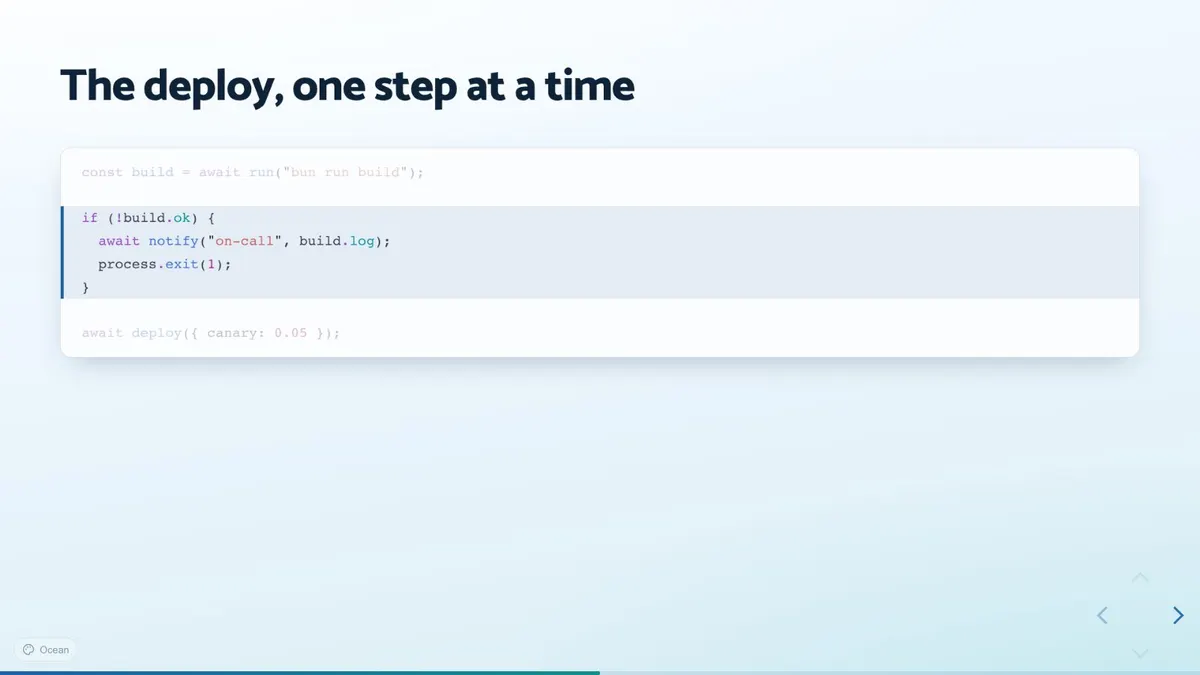
Highlight lines one click at a time, morph one version into the next with magic move, or run the code on the slide in a Monaco editor.
Use cases / Conference talks
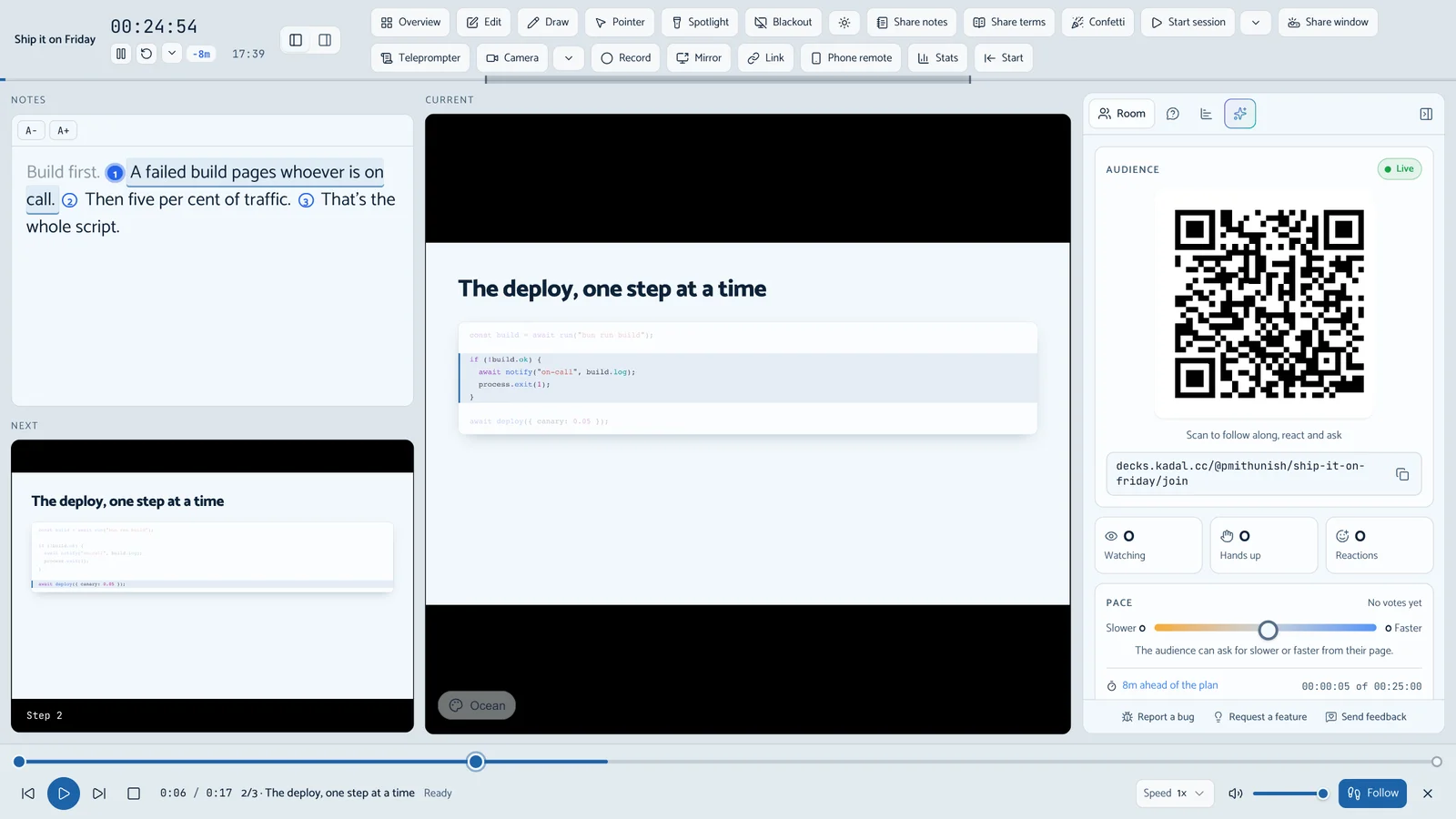
Code that walks through itself line by line, notes that keep pace with your clicks, a countdown that tells you if you're running long, and questions from the room ranked by votes at the end.
Why it fits
Highlight lines one click at a time, morph one version into the next with magic move, or run the code on the slide in a Monaco editor.
A countdown with a pacing badge for each slide, notes split at your clicks, and the next step, on your laptop while the projector shows only slides.
kadal-deck dev and a static build run offline. If the venue's network works, the published link adds the room.
People scan a QR code, ask and upvote from their phones, and the presenter view lists the questions with the most votes first.
The deck
The talk's opening, a code slide with four steps, and a closing slide with a QR code and the room's questions. It passes kadal-deck check as it stands.
---
title: Ship it on Friday
theme: ocean
timer: countdown
duration: 25min
---

# Ship it on Friday

Small releases, every week

<Notes>One line about who I am, then straight to the question.</Notes>

---

## The deploy, one step at a time

```ts {1|3-6|8|all}
const build = await run("bun run build");

if (!build.ok) {
  await notify("on-call", build.log);
  process.exit(1);
}

await deploy({ canary: 0.05 });
```

<Notes>Build first. [click] A failed build pages whoever is on call. [click] Then five per cent of traffic. [click] That's the whole script.</Notes>

---

## Questions

<QrJoin />

<Questions limit={4} />
Step by step
Paste it into deck.mdx of a new deck, or into a new deck in the browser builder.
Press S for the presenter view and run the countdown. R reads your notes aloud and turns the pages, if you want to hear the pacing.
One command gives you a link with a live room; the deck still works from your laptop if the venue's network doesn't.
npx kadal-deck publish pnpm exec kadal-deck publish yarn kadal-deck publish bunx kadal-deck publish The same link stays up. Export a PDF for the organisers if they ask for a file.
Read next
Other uses: Slides in Markdown · Lectures and teaching · Pitch decks · Team demos and reviews · Workshops