Diagrams as text
Mermaid diagrams live in the deck, take its colours in light and dark, and change in the same pull request as the code. PlantUML works too.
Use cases / Team demos and reviews
Keep the review deck in the repository it describes. Draw the architecture in Mermaid, run the code on the slide, and publish a fresh link from CI on every merge.
Why it fits
Mermaid diagrams live in the deck, take its colours in light and dark, and change in the same pull request as the code. PlantUML works too.
Monaco editors with a Run button: JavaScript and TypeScript in a Web Worker, Python with Pyodide, or your own runner for SQL or an API.
An API token lets a GitHub Action publish the deck on every merge, so the link in the calendar invite is always current.
The Team plan gives two people one workspace and its decks; more people cost $8 a month each, billed yearly.
The deck
A demo deck: the sprint's title, an architecture diagram in Mermaid, and a TypeScript block the audience can watch run. It passes kadal-deck check as it stands.
---
title: Search, sprint 14
theme: stack
---

# Search, sprint 14

What shipped, what broke, what's next

---

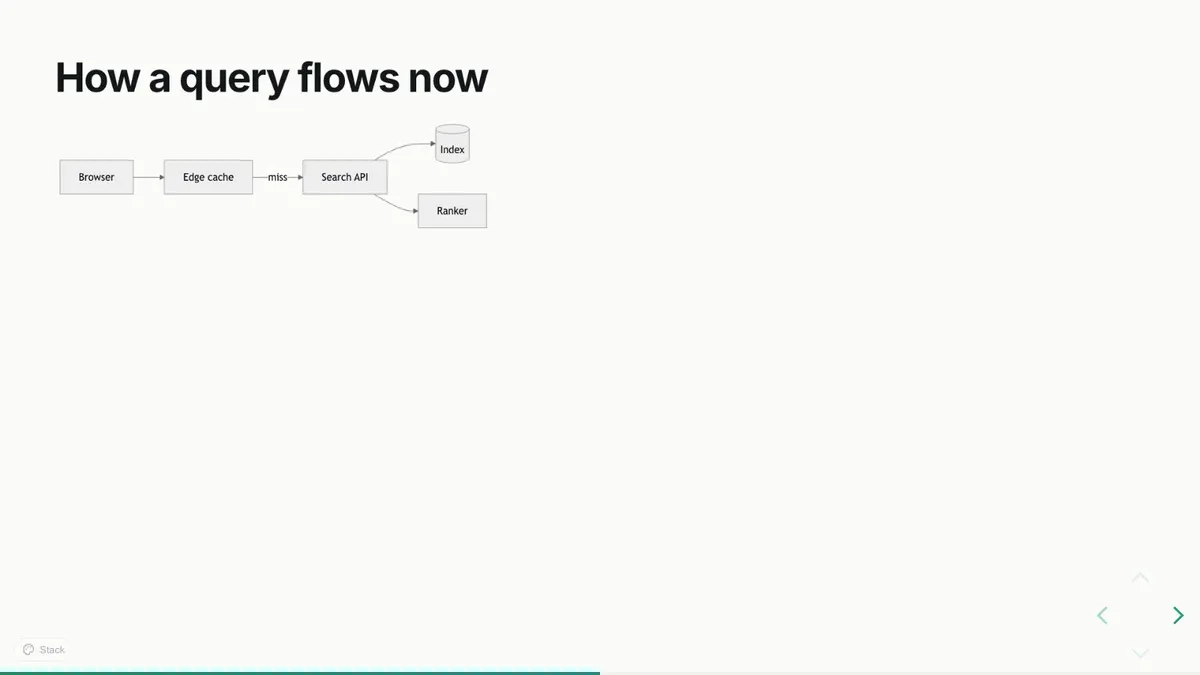
## How a query flows now

```mermaid
flowchart LR
  A[Browser] --> B[Edge cache]
  B -->|miss| C[Search API]
  C --> D[(Index)]
  C --> E[Ranker]
```

<Notes>The edge cache is new this sprint: 70% of queries stop there.</Notes>

---

## Try it

```ts {monaco-run}
const words = ["tide", "harbour", "tide", "port"];
const counts = Object.groupBy(words, (w) => w);
console.log(Object.keys(counts).length, "distinct words");
```
Step by step
A docs/demo folder with deck.mdx is enough; the snippet is a start.
Create an API token in the dashboard, store it as a secret, and run publish in a workflow.
npx kadal-deck publish --slug sprint-14 pnpm exec kadal-deck publish --slug sprint-14 yarn kadal-deck publish --slug sprint-14 bunx kadal-deck publish --slug sprint-14 The desktop app's share window shows the room your slides and never your notes.
Every version stays in the deck's history, so last sprint's demo is still one click away.
Read next
Other uses: Slides in Markdown · Conference talks · Lectures and teaching · Pitch decks · Workshops